

Search K
Appearance
By applying a Jobs Select Automation to PDF, the PDF Setup option can then be accessed and configured.
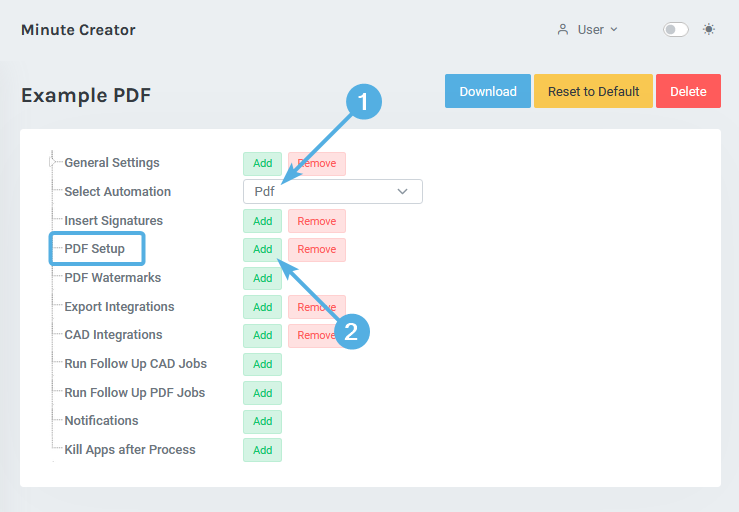
Click the green Add button to expand the PDF Setup options.
Sets the state of the published PDF first, before next applying further PDF Setup options.
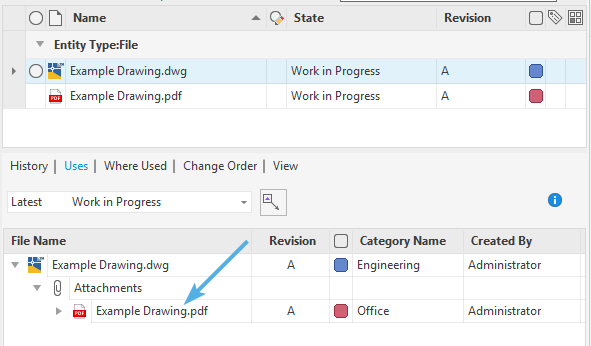
The Published PDF File will also be attached to the CAD file.
Note
The Attach PDF to CAD File option is a Vault level attachment, and not a drawing level reference / attachment (XREF).
The Job will be ignored by the Job Processor and terminate without error.
Note
Skipped Jobs will still log as COMPLETE within Minute Insights Job History.
INFO
Skip Process if PDF Exists matches the target Job files name against a potentially existing PDF with the same name. The Override Pdf Naming Format setting is not taken into account during this check.
The published PDF File will be added to the Vault.
TIP
Use the Attach PDF To CAD File option to attach the PDF document to the CAD file within Vault.
TIP
Use the Override PDF Naming Format option to rename the published PDF Document within Vault.
The published PDF Vault Properties will match the Jobs target CAD file.
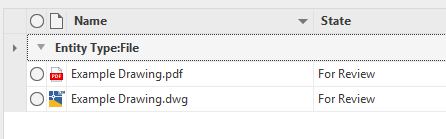
The published PDF Vault Lifecycle and Lifecycle State will match the Jobs target CAD file.
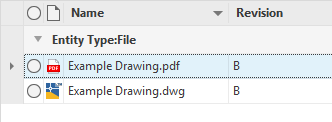
The Revision Number of the published PDF will match the Jobs target CAD file.
Specify the Lifecycle of the published PDF document.
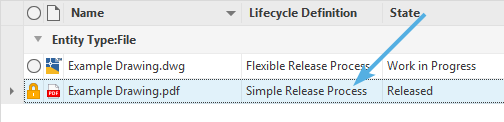
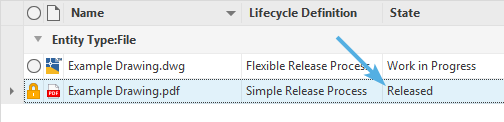
Specify the Lifecycle State of the published PDF document.
Note
Double check that the specified Vault Lifecycle state exists within the assigned Vault Lifecycle during configuration.
Specify the file name (include the .pdf extension) for the resulting Published PDF file.
Note
The Skip Process if PDF Exists name check acts on the name of the Jobs target DWG file, and if enabled will match against the name of a PDF file with the original name, and not the name specified in Override Pdf Naming Format, resulting in a new version of the PDF file with the name override.