

Search K
Appearance
The Automations engine home page runs a set of readiness checks when it starts. Each check confirms that a dependency some tasks rely on — CAD software, runtimes, hardware — is installed and configured correctly on the server. Use this screen to confirm a server is ready before building workflows that depend on these tools.
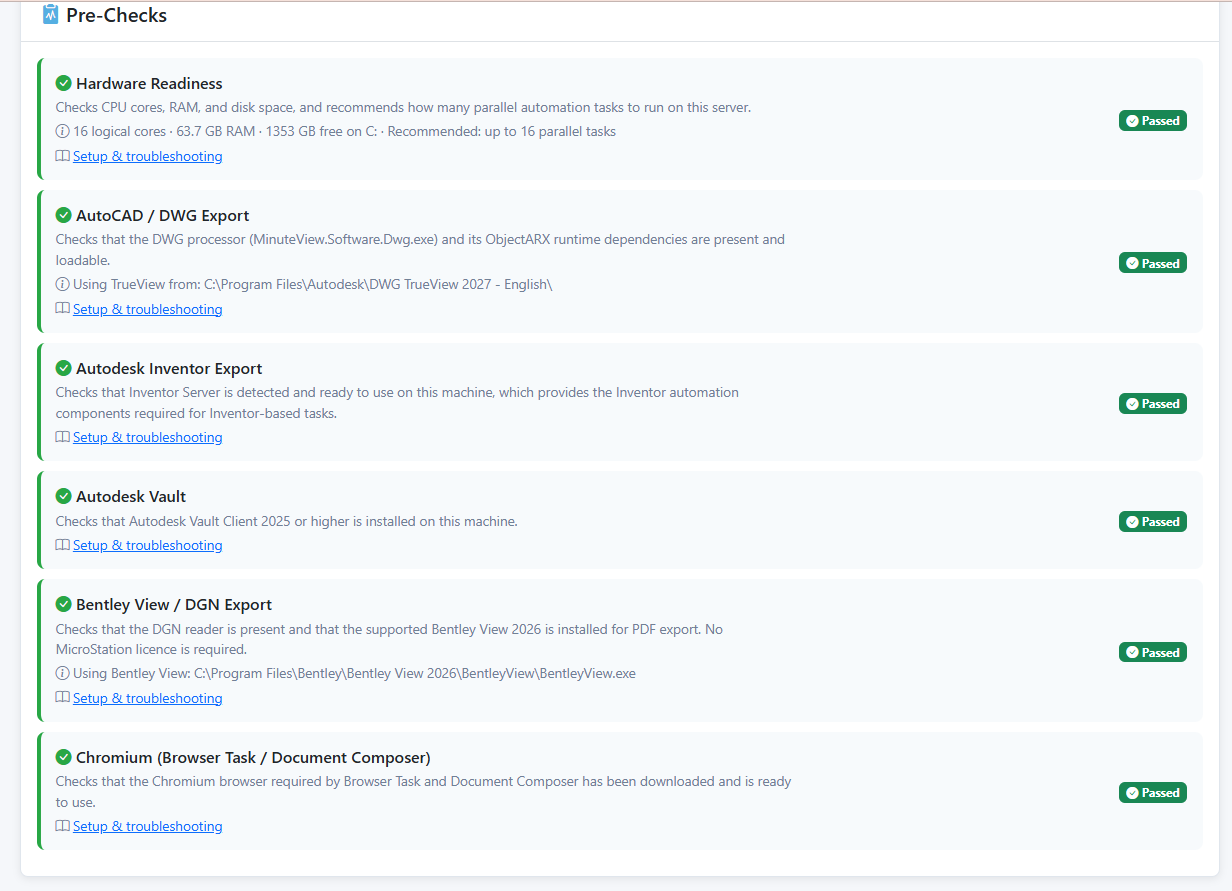
Each check shows a badge:
| Badge | Meaning |
|---|---|
| Passed | The dependency is installed and ready. |
| Warning | Usable, but with a concern worth reviewing (for example, low memory or disk space). |
| Failed | The dependency is missing or misconfigured. Tasks that rely on it will not run until this is resolved. |
| Coming Soon | The integration is still in development; nothing to configure yet. |
Where a check has a dedicated guide, a Setup & troubleshooting link appears on the card. The detail line under each check explains what was found (for example, the path of the application it located).
| Check | Confirms | Used by |
|---|---|---|
| Hardware Readiness | The server meets the CPU, memory and disk recommendations. | All workflows |
| AutoCAD / DWG Export | The DWG processor and its runtime dependencies are present, and DWG TrueView is installed. | AutoCAD Export |
| Inventor | Autodesk Inventor is installed and available for automation. | Inventor tasks |
| Autodesk Vault | The Vault client and SDK are available for Vault integration. | Vault tasks |
| Bentley View / DGN Export | The DGN reader is present and Bentley View 2026 is installed for PDF export. | DGN Export |
| Chromium (Browser Task / Document Composer) | A headless Chromium browser has been downloaded and is ready. | Browser Task, Document Composer |