

Search K
Appearance
MinuteView is installed on-premises, on your own Windows Server infrastructure. It is made up of two components — MinuteView Server and the Automations Engine — that work together to deliver the full platform. This page explains how those components are deployed, how they communicate, and how the system is secured.
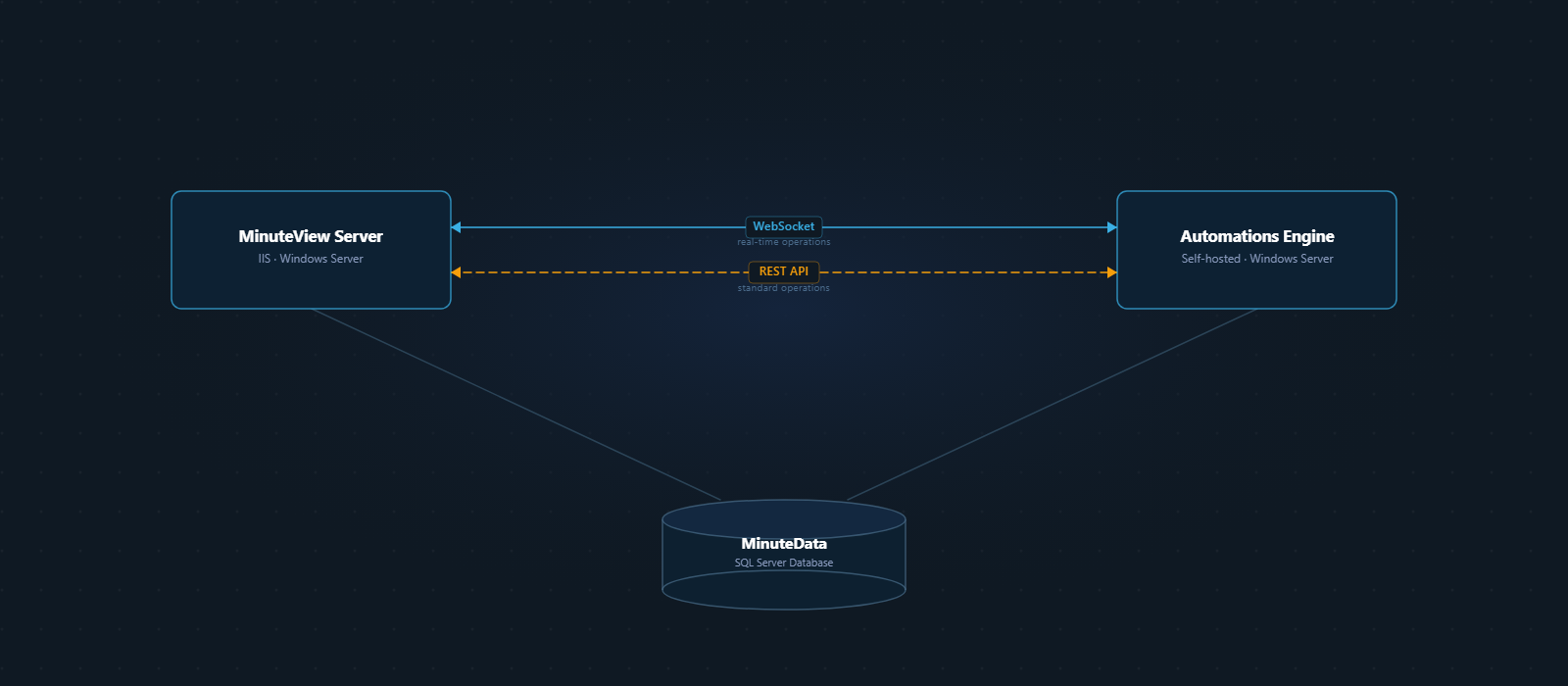
MinuteView Server is the web interface for the entire platform. It is installed as a site in IIS on a Windows Server and is the application that users and administrators access through their browser.
When MinuteView Server starts up for the first time, it connects to a SQL Server instance and automatically creates the MinuteData database. No manual database setup is required — the database schema is built and maintained by MinuteView itself.
MinuteData stores everything the platform needs to operate:
The Automations Engine is a separate application that handles all background processing — executing automation workflows, running scheduled jobs, and communicating with third-party systems. It runs as a self-hosted web service on Windows Server, independently of IIS.
The Automations Engine does not have its own user interface. It is configured and controlled entirely through MinuteView Server.
MinuteView Server and the Automations Engine communicate through two channels depending on the type of operation.
For operations that require an immediate response — such as triggering a workflow to run right now, or using the AI chat in Mesh — the two components communicate over a WebSocket connection. This provides a persistent, low-latency link between the web interface and the execution engine.
Protocol Consistency
Both MinuteView Server and the Automations Engine must use the same protocol — either both HTTP or both HTTPS. A mixed environment (one on HTTP, the other on HTTPS) will break WebSocket communication.
For everything else — submitting jobs to the queue, fetching job results, managing workflows, transmitting configuration — the two components communicate over a REST API. All API calls are authenticated; the Automations Engine identifies itself to MinuteView Server using a registered client application credential.
All user passwords are hashed, salted, and encrypted before being stored in the database. Passwords are never stored in plain text.
Communication between MinuteView Server and the Automations Engine is authenticated using client application registrations. Each Automations instance registers a unique identifier tied to its host machine — the same credentials cannot be reused from a different server.
Both applications should be configured with valid SSL certificates so that all communication occurs over HTTPS.
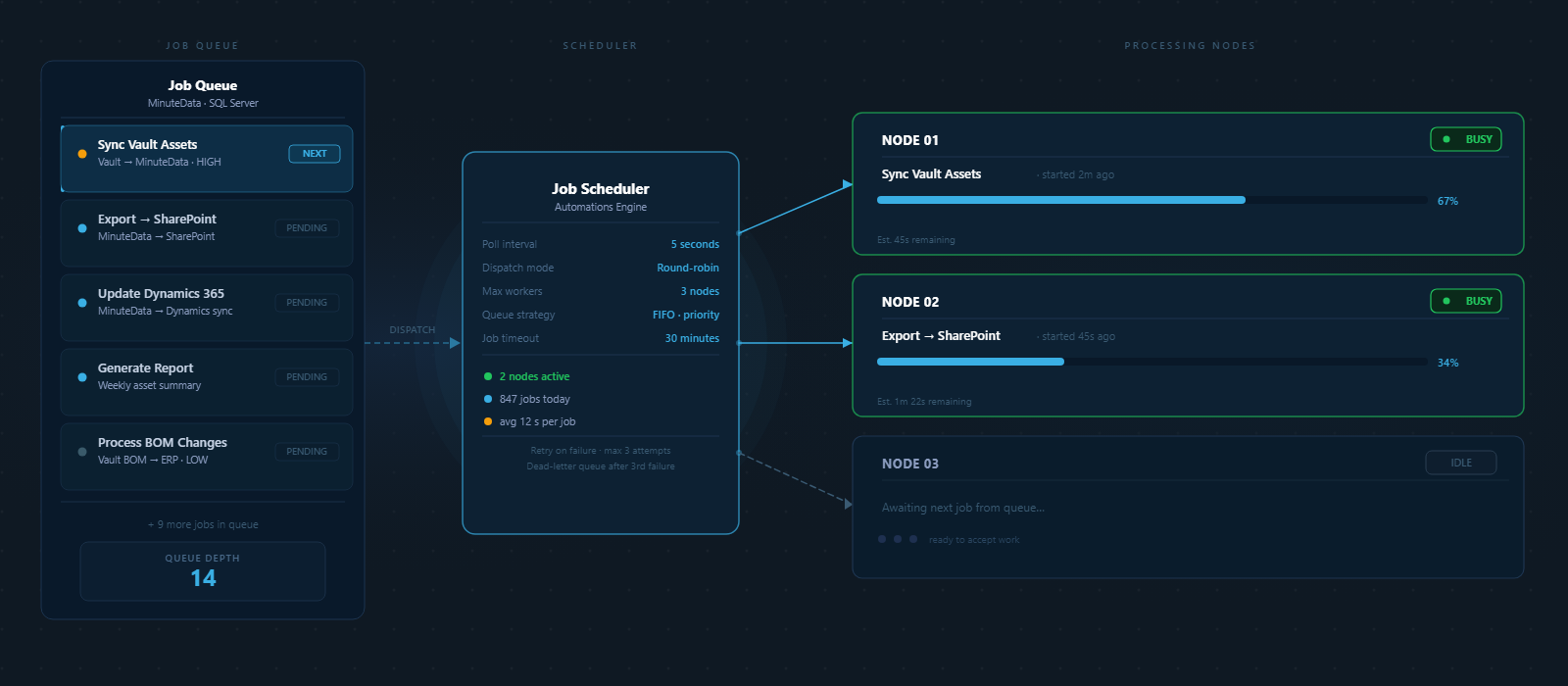
The Automations Engine uses a background job processing system to manage task execution. Jobs can be:
For most deployments, a single Automations Engine handles all job types. In higher-demand environments, additional nodes can be configured to handle specific categories of work — for example, a dedicated node for AI processing or CAD export tasks.
The Automations Engine can be triggered by external systems via HTTP requests routed through MinuteView Server.
How it works:
External triggers can be configured as authenticated (requiring API credentials) or public (for open submission endpoints). All external communication is mediated through MinuteView Server — the Automations Engine is never exposed directly.
| Component | Deployment | Purpose |
|---|---|---|
| MinuteView Server | IIS on Windows Server | Web interface, user management, configuration |
| Automations Engine | Self-hosted service on Windows Server | Workflow execution, integrations, background jobs |
| MinuteData | SQL Server (auto-created) | Shared data and job storage for both components |