

Search K
Appearance
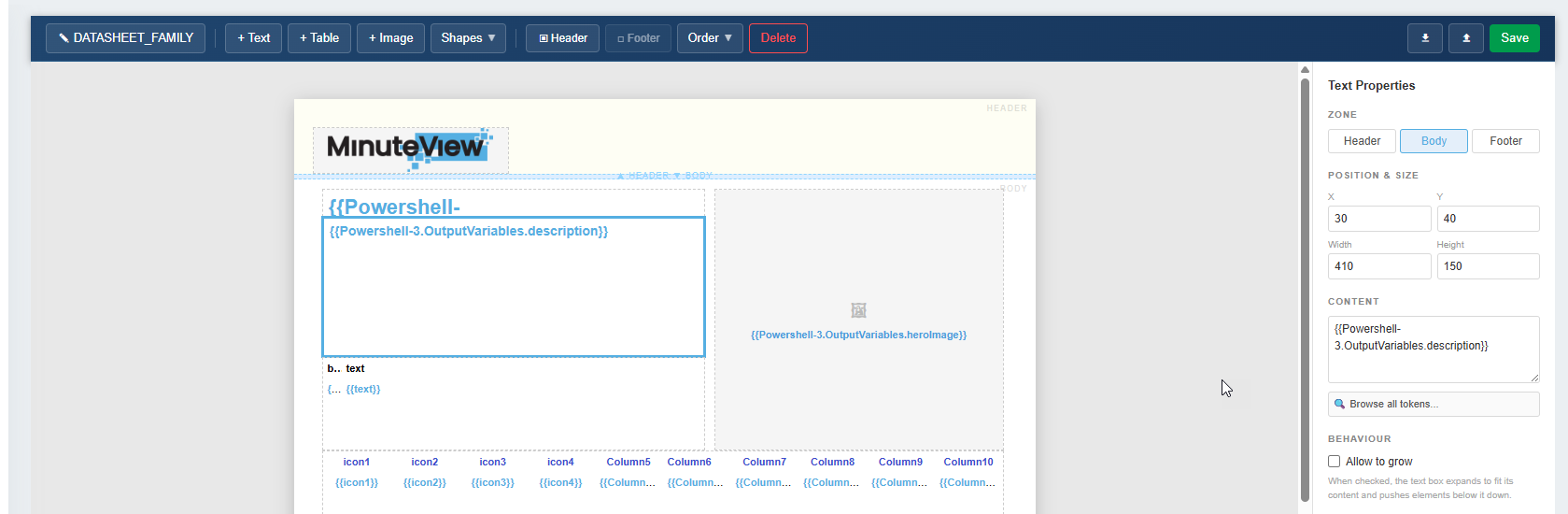
Document Composer is MinuteView's template-driven document generation engine. It allows you to design a document template once — then produce filled, formatted output documents automatically by drawing data from one or more connected data sources.
Document Composer is a supporting module. It does not operate standalone; instead, it is invoked from within other MinuteView modules:
Document Composer is made up of two distinct parts:
The Studio is the web-based template editor built into the MinuteView interface. It is where you design and manage your document templates — defining layout, sections, field bindings, and data source connections.
A template created in Studio is reusable. Once configured, any compatible module can use it to generate output documents without further setup.
The Engine is the back-end service that takes a template and a set of runtime data, resolves all field bindings against the data sources, and produces the final output document.
The Engine runs automatically — you do not interact with it directly. It is triggered whenever a workflow, transmittal, or configurator action requests document generation using a configured template.
[Workflow / DocControl / Configurator]
             │
             │  requests document generation
             ▼
  Document Composer Engine
  (resolves template + data)
             │
             ▼
Output DocumentIf you are new to Document Composer, start with the Get Started guide to understand when and how to use it.
Understand the Document Composer model and how to approach your first template.
Learn the key concepts: templates, data sources, bindings, and the Studio/Engine split.
How to create and configure templates in Document Composer Studio.
How to invoke Document Composer from Workflow, DocControl, and Configurator.