

Search K
Appearance
A template is made up of sections — discrete content blocks that control the document layout. Within sections, fields represent data-bound values that are filled at generation time.
Sections define the structure of the output document. Each section can contain:
[Document the section types available in Studio once the UI is confirmed — e.g. Header, Body, Footer, Table, Repeater, Conditional Block]
[Walkthrough with screenshots once Studio UI is confirmed]
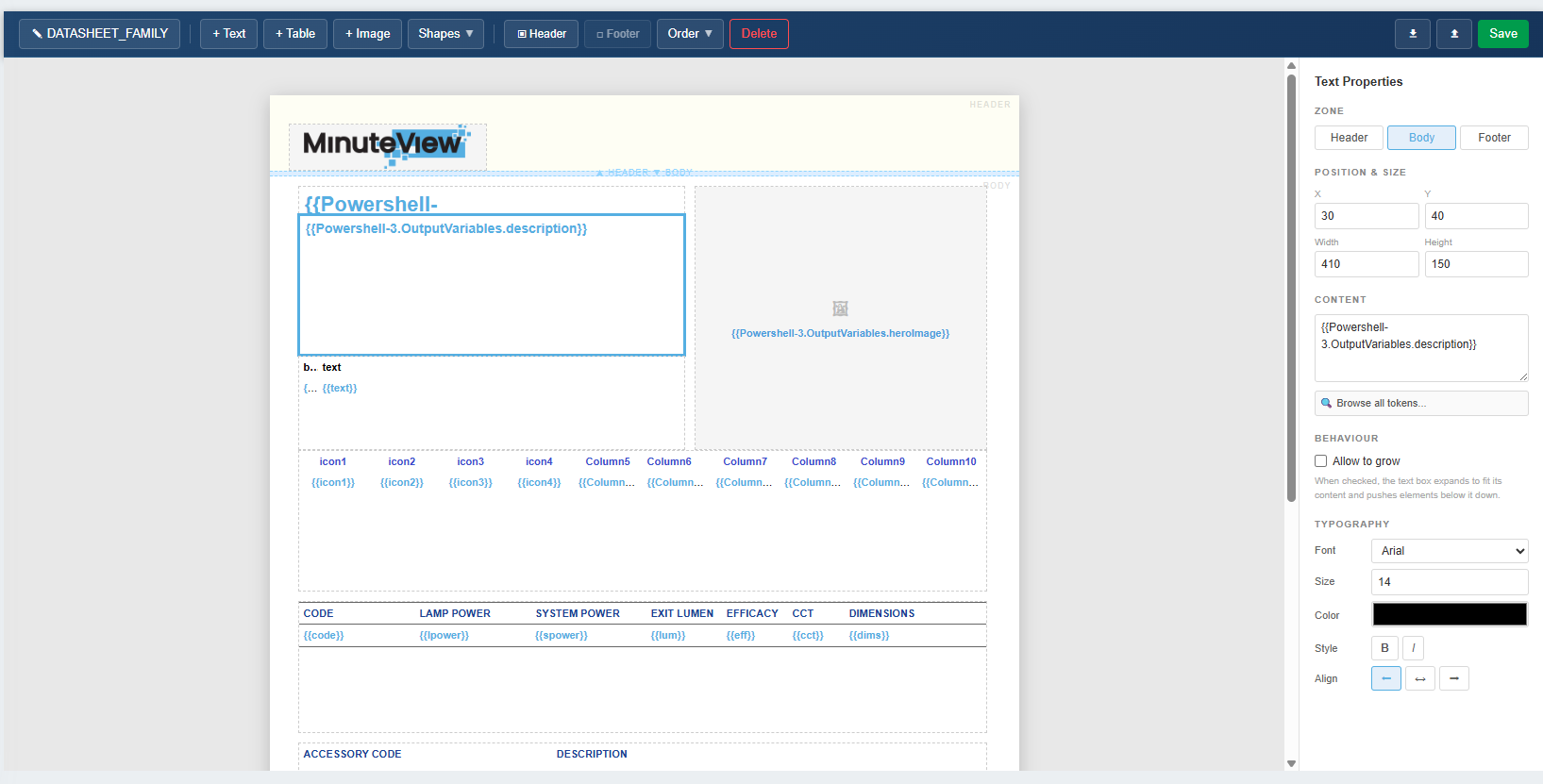
A field is a placeholder in the template that is replaced with a real value at generation time. You populate fields by inserting tokens from the token browser — each token corresponds to a data value captured from a previous run of the template.
Place your cursor at the position in the template where you want the value to appear, then open the token browser and click the token you want to use. The token is inserted as a placeholder. At generation time, the Engine replaces it with the live value.
| Property | Description |
|---|---|
| Token | The token inserted from the token browser, representing the data value to use |
| Format | Optional formatting applied to the value (date formats, number formats, etc.) |
| Default | Value used if the token resolves to nothing at generation time |
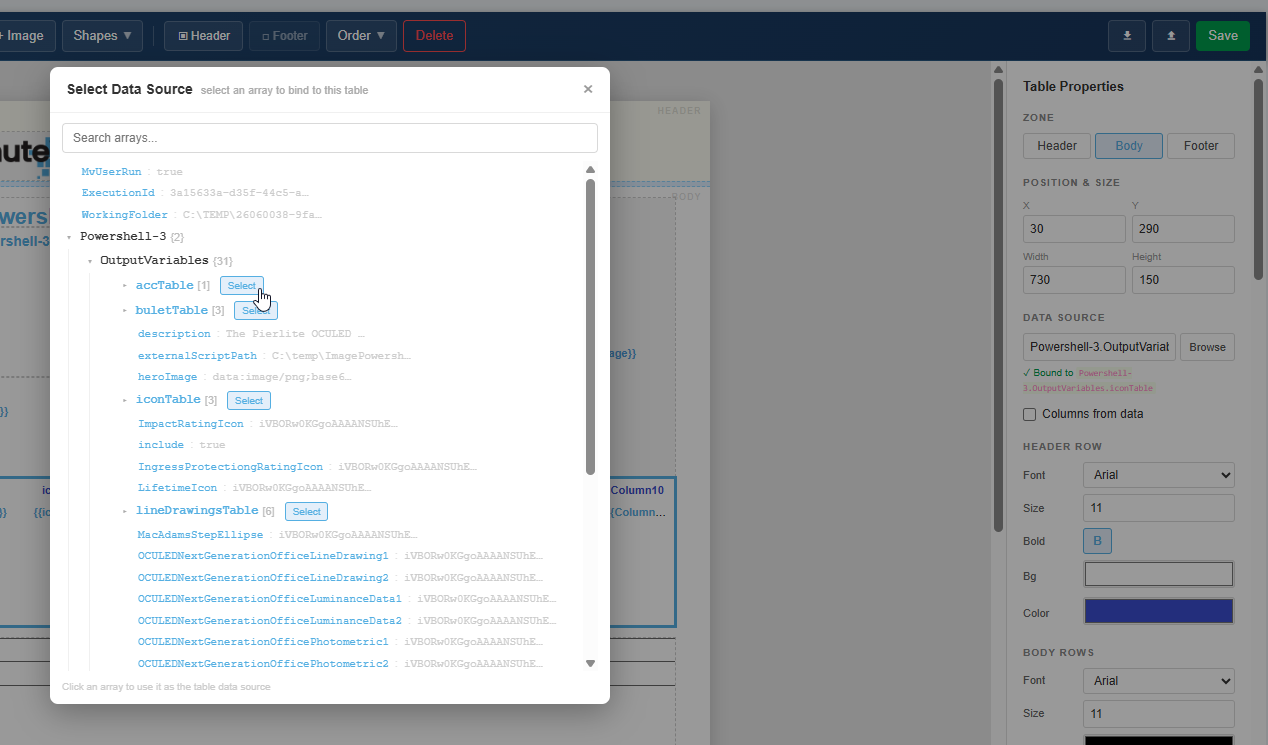
Use a repeating section (or table) to output one row per item in a list — for example, one row per document in a transmittal, or one row per component in a configurator BOM.
[Document repeater configuration once Studio UI is confirmed]
Use conditional sections to include or exclude content based on a condition evaluated against the data context at generation time.
[Document conditional section configuration once Studio UI is confirmed]