

Search K
Appearance
Document Composer does not require you to manually configure data source connections before building a template. Instead, it learns what data is available by being run — and then exposes that data to you through the token browser.
When the Document Composer Engine runs a template — whether triggered by a workflow, a DocControl transmittal, or Configurator — it receives a full data context from the invoking module. This context contains everything available to that template in that execution: workflow variables, job data, integration outputs, metadata fields, and more.
After each run, the Engine captures all of the tokens from that context and stores them against the template. The next time you open the template in Studio, every token from the last run is available in the token browser.
This means your first step is always to run the template before configuring it — even if the output is not yet correct. One run is enough to populate the token browser with real data.
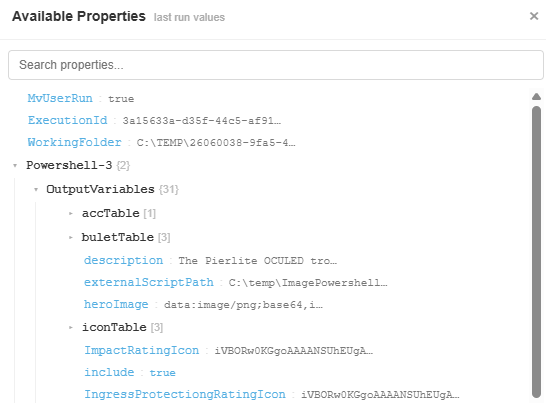
The token browser is a panel within the Document Composer Studio editor. It lists all of the tokens captured from the template's most recent execution, organised by source.
Tokens are listed with their names and, where available, the values they held during the last run. You can browse through the list and expand groups to find the specific token you want.
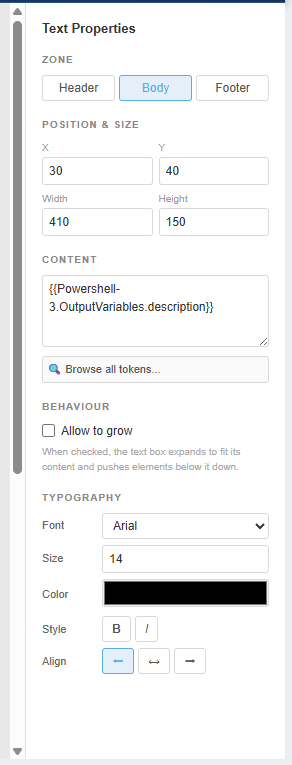
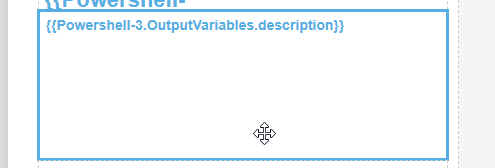
Place your cursor in the template at the point where you want the data value to appear, then click the token in the browser. The token is inserted as a placeholder at that position. At generation time, the Engine replaces the placeholder with the live value from the current run's data context.
If the workflow or process that uses the template changes — for example, new task nodes are added upstream, or a new integration is connected — the token browser will not automatically update. To refresh it, simply run the template again. The next run's captured tokens will replace the previous set.
The tokens available in the browser depend on which module invokes the template:
| Invocation Context | Token Sources |
|---|---|
| Workflow Engine | Workflow variables, all previous task node outputs, integration data (SharePoint, Vault, ACC, etc.) |
| DocControl Transmittal | Transmittal metadata, document list data, recipient and project fields |
| Configurator | Project fields, configurator output data, iteration values |
Because the token list comes from a real run rather than a static schema, you see exactly the tokens your context produces — no more, no less.