

Search K
Appearance
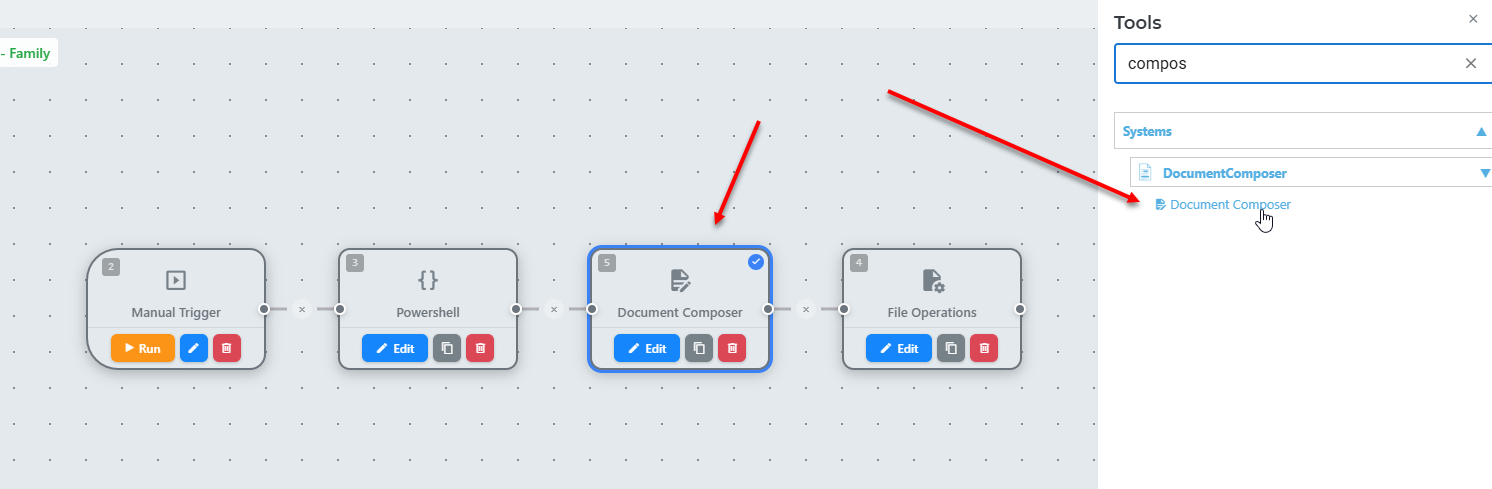
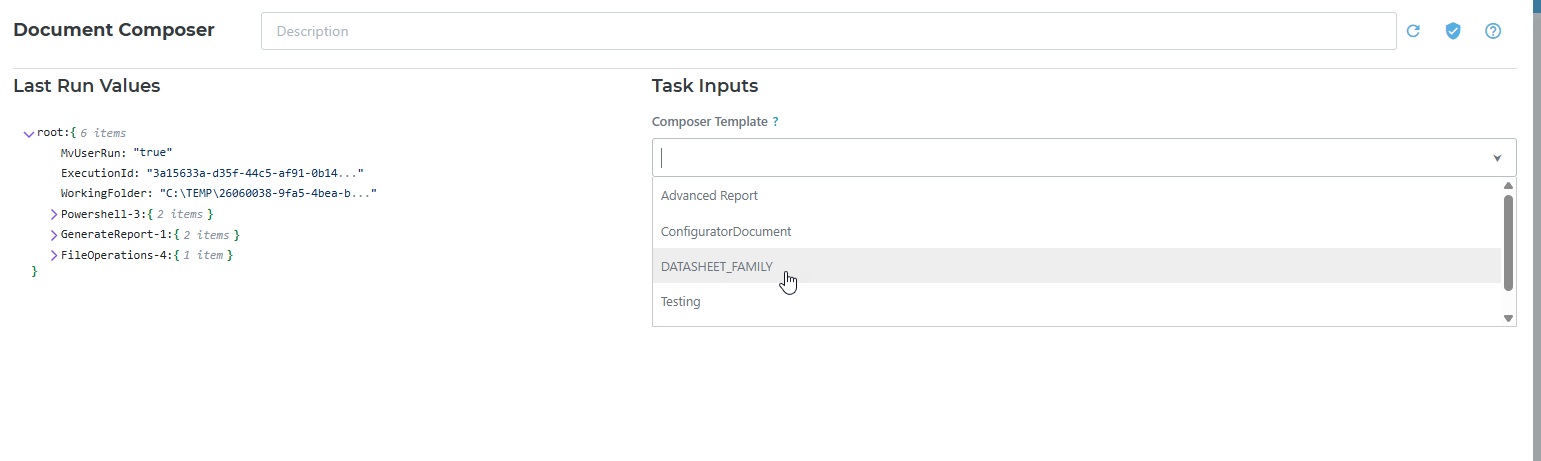
The Workflow Engine can trigger document generation at any point in an automation. You add a Document Composer task node to your workflow, configure which template to use, and the Engine handles the rest when the workflow runs.
In the Workflow editor, add a new task node and select Document Composer from the node type list.
| Setting | Description |
|---|---|
| Template | Select the Document Composer template to use for this generation run. |
| Output File Name | The name of the generated output file. Supports variable substitution. |
| Output Destination | Where the generated document is saved or passed (e.g. stored to a path, added to workflow output data). |
[Expand with full node configuration options once the Workflow task node is implemented and confirmed]
When the workflow reaches the Document Composer node: